AOMEI Backupper Review
Introduction
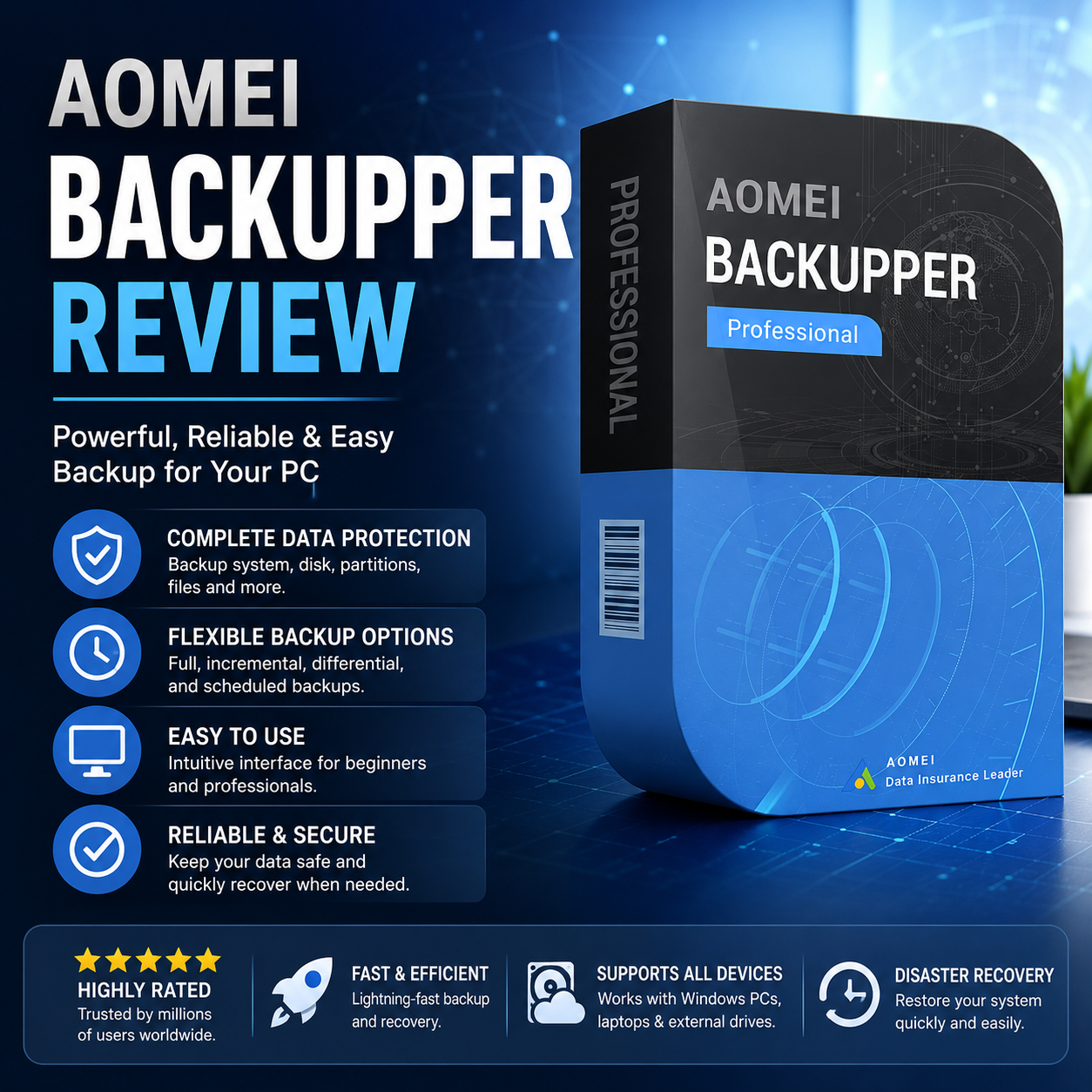
AOMEI Backupper Review: AOMEI Backupper is a backup and recovery software designed to help individuals, home users, and businesses protect their files, operating systems, and entire disks from data loss. It offers a wide range of features, including system backups, disk cloning, scheduled backups, file synchronization, and recovery tools, all through an intuitive interface suitable for users of varying technical experience.
In this AOMEI Backupper Review, we’ll examine its key features, ease of use, pricing, performance, and overall value to help you determine whether it’s the right backup solution for your needs in 2026.
Key Takeaways
- Comprehensive backup and recovery features.
- Supports system, disk, file and partition backups.
- Suitable for home users and small businesses
- Free version available with optional premium upgrades.
- Best suited to users seeking reliable local backup software.
Product Overview
This AOMEI Backupper Review found that the software combines backup, cloning and recovery tools into a single application. AOMEI Backupper is a powerful backup software that caters to both personal and professional users. It enables users to create backups of files, folders, systems, and entire disks, ensuring data integrity and security. This software is designed to be intuitive, making it easy for even non-tech-savvy users to navigate through its features. It combines backup, recovery, cloning, and synchronization tools into a single application, making routine data protection straightforward for both beginners and experienced users.
Key Features
- Comprehensive Backup Options: Full, incremental, and differential backups available.
- System Clone: Ability to clone your system or disk to upgrade or replace hardware seamlessly.
- File Synchronization: Sync files between devices, making data management efficient.
- Scheduled Backups: Automate backup processes to ensure regular data protection.
- Encryption and Compression: Secure your backups and save storage space with advanced options.
Real World Benefits
AOMEI Backupper provides users with peace of mind by safeguarding their data against loss due to hardware failures, accidental deletion, ransomware, or operating system corruption. Its flexibility in backup options allows users to tailor their backup strategy according to their specific needs, whether for personal use or business requirements.
Who This Product Is Best For
- Small Business Owners: AOMEI Backupper is ideal for small businesses that require reliable data protection without the complexity of larger enterprise solutions. It helps mitigate risks associated with data loss, allowing businesses to operate smoothly.
- Remote Workers: Individuals working from home can benefit from AOMEI’s backup solutions, ensuring their files are secure regardless of their device location.
- Tech-Savvy Users: Those who frequently upgrade their hardware will find the system clone feature particularly useful for smooth transitions between devices.
- Home Users: Casual users looking for a straightforward, efficient way to back up personal files will appreciate AOMEI’s user-friendly interface and functionalities.
Who Should Consider Alternatives
Enterprise environments requiring centralized backup management or users seeking cloud-first backup solutions may prefer products designed specifically for those use cases.
Pros And Cons
Pros:
– Comprehensive backup features
– User-friendly interface
– Flexible pricing plans
– Good customer support
Cons:
– Some advanced features only available in the paid version
– Limited cloud integration in the free version
Comparison With Similar Products
| Feature | AOMEI Backupper | Typical Alternative |
|---|---|---|
| Ease of use | High | Medium |
| Value for money | Excellent | Good |
| Customer Support | Good | Good |
| Pricing | Competitive | Higher |
| Best For | Home & SMB | Enterprise |
The primary distinction lies in AOMEI’s ease of use and competitive pricing, making it an attractive option for smaller operations compared to alternatives that may offer more integrations but at a higher cost.
Buying Considerations
Before purchasing, this AOMEI Backupper Review recommends considering the type of data you need to protect, how often backups should run, and whether features such as system cloning, scheduled backups, file synchronization, or ransomware protection are important for your workflow. Home users may find the free version sufficient for basic backup tasks, while businesses and power users are likely to benefit from the additional features available in the paid editions. Choosing the right version will help ensure your data remains protected while providing the functionality you need as your storage and backup requirements grow.
Frequently Asked Questions
- How much does AOMEI Backupper cost?
AOMEI Backupper offers a free version, while the Pro version starts at an affordable annual subscription rate. - Is it suitable for small businesses?
Yes, it provides robust backup solutions tailored for small business needs. - Does it integrate with other platforms?
AOMEI offers limited integrations but primarily focuses on local backups. - How difficult is implementation?
AOMEI Backupper is known for its straightforward installation and setup process. - Is the free version of AOMEI Backupper enough?
Users might consider Veeam or Backblaze for different backup needs.
Related Buying Guides
Final Verdict
AOMEI Backupper is an excellent choice for individuals and small businesses looking for a reliable and versatile backup solution. It excels in ease of use and offers a broad range of features. However, users who require extensive cloud integration or advanced features might need to consider alternatives.
AOMEI Backupper is a dependable backup and recovery solution for individuals, home offices, and small businesses seeking reliable protection against data loss. Its comprehensive backup options, cloning tools, and straightforward interface make it suitable for users with varying levels of technical experience. While organisations requiring advanced cloud-based backup management may prefer more specialised solutions, AOMEI Backupper offers an excellent balance of functionality and ease of use for most users.
Its biggest strength is its comprehensive backup capabilities, while its main limitation is that some advanced features require a paid licence. Overall, it is well suited to users looking for a flexible and reliable backup solution.